gigma

Design offline.
Build with AI.

Gigma, an open-source design editor, works like Figma without the internet and lets your AI assistant draw on the same canvas.

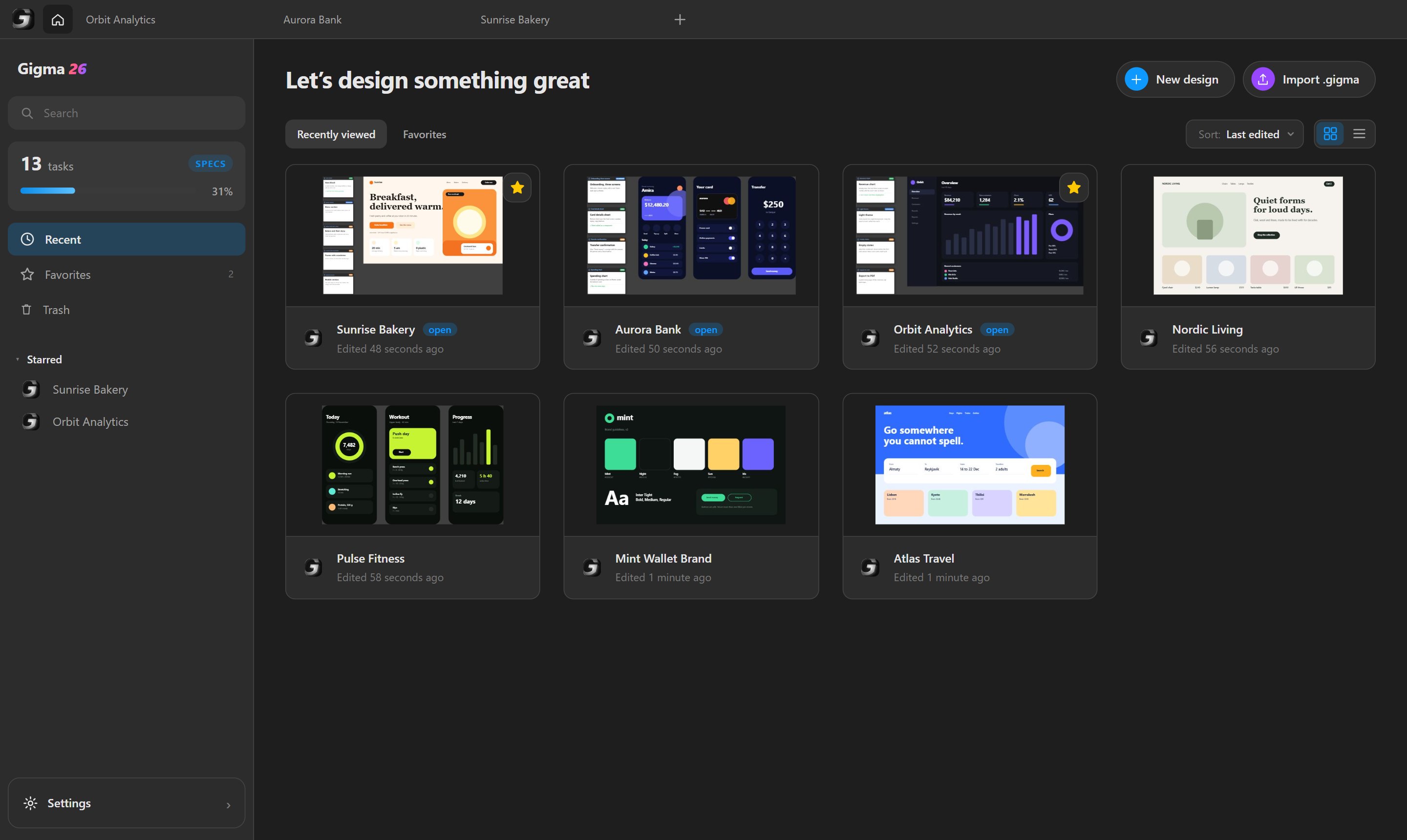
Gigma home screen: recent projects, starred ones and the counter of Spec tasks

Everything you need to design with AI:

Vector editing·Auto layout·Components·Spec nodes·Guidelines·MCP server·PDF import

Built for flow

Gigma is a vector design editor with auto layout, components, styles and a command palette. On top of that it has what a designer needs to work with an AI and with Figma.

Works with Figma. Copy layers there and back with a plain copy and paste. A token brings the images along.

Figma Ctrl C⇄Ctrl V Gigma
Personal access token
figd_••••••••••••Save

An MCP server, built in. Gigma listens on your own machine and gives an assistant 62 tools: it reads layers and styles, takes screenshots and draws on the canvas.

Claude Cursor VS Code LM Studio
MCP server
127.0.0.1:7331/mcp
Only this computer can connect

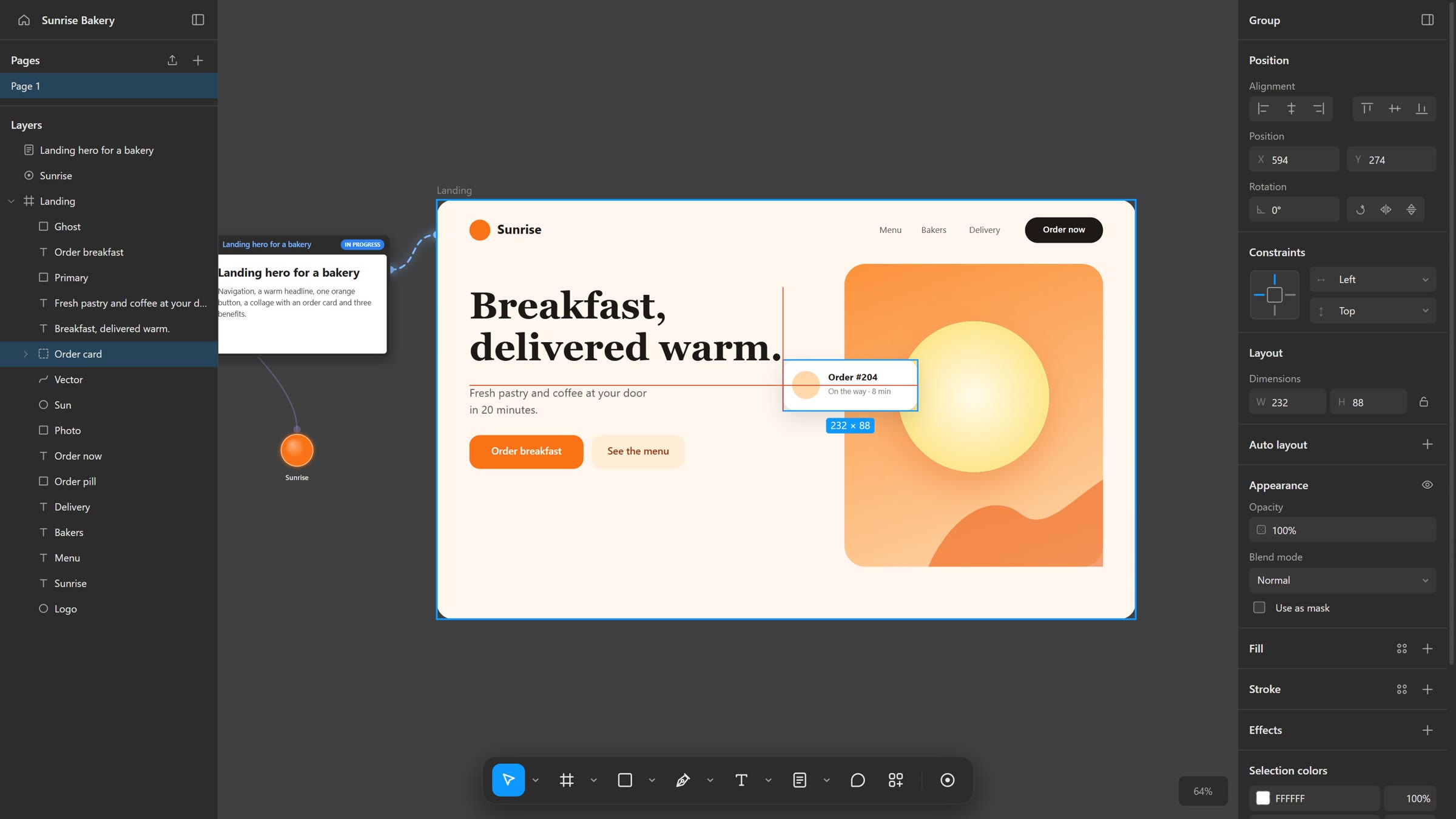
Spec nodes. A task is a card on the canvas. Materials come in on its left, the frames to work in go out on its right, and the assistant follows the wires.

UI kit
Sunrise
Landing heroIN PROGRESS
Landing hero
Navigation, a warm headline, one orange button, a collage with an order card.
Landing
Sunrise
Breakfast, delivered warm.

Guidelines. The colours, fonts, logos and rules of a brand, shared by every project and read by the AI before it draws.

SunriseGUIDELINE
Orange Cream Ink Butter
AaHeadingGeorgia · 700 · 92px

Work together.
With your AI.

Claude, Codex or any MCP client builds while you work, on the same canvas. Every change lands in the same history, so one Ctrl+Z takes back anything you do not like.

C
ClaudeBuilding the landing page
Y
YouMoving a card
Claude writes the headline of a landing page while the user moves a card next to it
Cx
CodexDrawing the light theme
Cu
CursorReading the canvas

Spec nodes

Wire a task to the frames it is about, and materials into it.

Shared guidelines

One brand for every project, read by the AI before it designs.

Undo anything

Every AI step is an ordinary edit in your history, never a black box.

Connect your AI.
Both ways.

Gigma runs an MCP server on your machine. The assistant reads layers, styles and screenshots, then draws back on the canvas. Use it from Claude, Cursor, VS Code or LM Studio.

Orbit Analytics Aurora Bank Sunrise Bakery

Tasks

SPECS

Spec tasks of the projects open in tabs. Click a task to see it on the canvas.

Project:All open
3 of 10 done

60+ tools
for the AI

Frames, text, shapes, styles, components, export. The whole inspector.

It sees
the canvas

Screenshots and exports of any layer, so it checks its own work.

Every step
undoable

AI edits are normal history entries. Ctrl+Z works as always.

Specs it
can follow

Tasks and rules wired to frames are handed to the AI where it works.

Guidelines
for the AI

Exact colours, fonts and logos, with transparency, not a guess.

Localhost
only

The server listens on 127.0.0.1. Your files never leave the machine.

Gigma Toolbox

Everything a designer reaches for, in one window. Every tool is also a command an AI can call.

PDF import. Pages become frames, text and shapes become layers.

PDF → TInvoice 0010RectangleVector

Pen and curves. Draw paths, then bend every point.

Export. PNG, SVG and PDF, at the scale you need.

Export
2xPNGSVGPDF
Frames go to one PDF, page by page
100 % offline ↓

Storage. See what takes space on the disk and clear it.

Projects48.2 MB
Trash12.6 MB
Plugins and guidelines1.4 MB

⟨/⟩Code blocks. HTML and CSS rendered as a layer.

<div class="card">
  Fresh bread
</div>

AI cursors. Every assistant gets its own cursor and name on the canvas, so you see who is working and where.

Claude
Codex
Cursor

Share as a file. Projects, guidelines and plugins travel in formats of their own.

.gigma .gguide .gplug

Plugins in one
HTML fileindex.html

A plugin is a web page with a manifest, zipped into a .gplug file. It runs in a sandbox and talks to Gigma through the very commands the AI uses.

Plugins in Gigma can put a screen into a phone frame, give layers a neon glow or bring a snapshot of a whole website onto the canvas.

gigma
Plugins
The tools you need, written by you

With one HTML file, a plugin can read the selection, create layers, use fetch with permission and keep its own settings, through the very commands an assistant calls over MCP.

⧉
<!-- index.html of a plugin -->
<button id="go">Round the selection</button>
<script>
  go.onclick = async () => {
    const nodes = await gigma.selection()
    await gigma.undoGroup(async () => {
      for (const n of nodes)
        await gigma.command('update_node', {
          id: n.id, cornerRadius: 16,
        })
    })
  }
</script>

Write it by hand or give the plugin docs to an AI along with your idea. Drop the .gplug file into Settings, Plugins, and it is ready to run from Ctrl+K.

Start from the template in Settings, Plugins.

Start designing
offline

Free and open source. Your projects stay yours. The AI is optional and always under your control.